
A confidence monitor is a presenter-facing screen positioned where a speaker can see presentation content without turning towards the main audience screen. Also called a confidence screen or downstage monitor, it helps presenters follow slides, cues or other selected information while continuing to face the audience.
Confidence monitors are commonly used at conferences, corporate events, panel discussions, ceremonies, product launches and hybrid meetings. What appears on the screen depends on the presentation software, video routing and AV system being used.
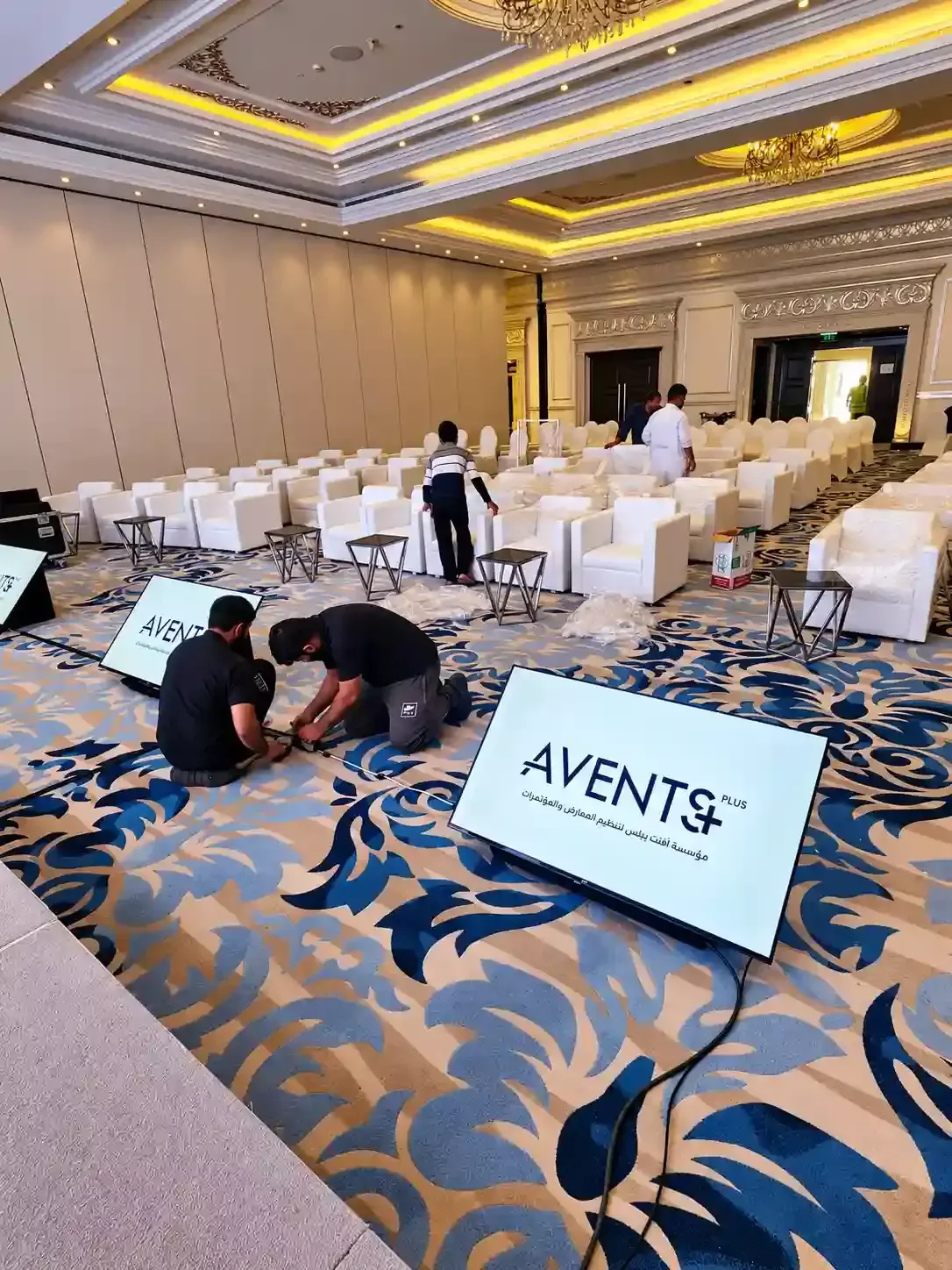
What does a confidence monitor show?
In a simple setup, the confidence monitor may show the same presentation slide as the main event screen.
With a more advanced configuration, it may show different presenter-facing information, such as:
- Current presentation slides
- Speaker notes
- Upcoming content
- Countdown or session timing
- Presenter cues
- Selected video feeds
- Remote participants during hybrid events
Not every setup supports all of these functions. Speaker notes, separate presenter content and countdown timers require the presentation and video system to be configured for them. Adding another screen does not automatically create a separate presenter view.
Why are confidence monitors used at events?
The main event screen is normally positioned for the audience. It may be behind, beside or above the presenter, which can make it difficult for the speaker to follow what is being displayed without repeatedly turning away from the audience.
A confidence monitor gives the presenter a visual reference within their line of sight. This can help them:
- Follow the progress of a presentation
- Reduce unnecessary turns towards the main screen
- Maintain better eye contact with the audience
- Keep track of the current slide
- Follow timing information when supported
- Deliver the presentation more naturally
A confidence monitor does not replace preparation or rehearsal. It simply provides an additional reference during the live session.
Where are confidence monitors commonly used?
Conferences and corporate events
Keynote speakers, executives and presenters can follow slides while remaining focused on the audience, especially when the main LED wall or presentation screen is positioned behind them.
Panel discussions and ceremonies
Moderators, hosts and speakers may need to follow presentation material, cues, videos or timing information without looking towards the main event screen.
Hybrid events
Depending on the video setup, a presenter-facing display may show selected remote participants, presentation content or another event feed. These requirements should be confirmed during technical planning.
What is a floor confidence monitor?
A floor confidence monitor is positioned low near the front of the stage and angled upwards towards the presenter. This setup is also commonly called a downstage monitor.
Keeping the screen low can make it easier for the presenter to see while reducing visual obstruction for the audience.
The best position depends on:
- Stage height
- Presenter position
- Speaker movement
- Viewing distance
- Audience sight-lines
- Camera positions
- Venue layout
A monitor positioned correctly for a presenter standing behind a lectern may not suit a speaker who moves across a wide stage.
Confidence monitor vs main event screen
The two screens serve different purposes.
| Main event screen | Confidence monitor |
|---|---|
| Primarily faces the audience | Primarily faces the presenter |
| Shows audience-facing content | Provides presenter-facing reference content |
| Often forms part of the stage design | Usually positioned more discreetly |
| Designed for audience viewing distance | Designed for presenter viewing distance |
| May be a large LED wall or projection screen | Usually a smaller presenter-facing display |
In a basic setup, both screens may show the same content. In a more advanced setup, the audience may see the current slide while the presenter sees notes, upcoming content or timing information.
This requires suitable presentation software, video routing and technical planning.
Confidence monitor vs teleprompter
A confidence monitor and a teleprompter can both support a speaker, but they serve different presentation needs.
A confidence monitor is generally used as a reference display for slides, notes, cues, timing information or selected video content.
A teleprompter is specifically designed to help a speaker follow scripted text.
Some event systems can combine related functions, but organizer's should clearly tell the AV team when a presenter needs a full script rather than a standard presentation reference.
How does a confidence monitor work?
At a basic level, the monitor receives a video signal from the event’s presentation or video system.
A simple mirrored setup may look like this:
Presentation Laptop → Video System → Main Screen + Confidence Monitor
In this case, the presenter and audience see the same content.
A separate presenter-view setup requires independent outputs. For example, the audience may see the current slide while the presenter receives a different feed containing notes or timing information.
That is why confidence monitor requirements should be discussed before the event rather than added at the last minute.
What should organizers plan?
Decide what the presenter needs to see
Does the presenter need the same slide as the audience, speaker notes, upcoming content, timing information, remote participants or another event feed? The answer affects how the presentation system should be configured.
Consider viewing distance and readability
Text that looks clear on a laptop may be difficult to read from several meters away. Screen size, presentation design, font size and viewing distance should therefore be considered together.
There is no single confidence monitor size that suits every event. The right choice depends on the stage layout, presenter position and the information being displayed.
Plan for speaker movement and sight-lines
A presenter standing at a central lectern may only need one fixed monitor. A speaker moving across a wider stage may need a different position or additional viewing coverage.
The screen should also avoid unnecessarily blocking audience views or camera positions.
Plan cable routing
Power and video cables may run between the stage, displays and technical control position. Cable routes should be planned safely so presenter and guest areas remain organized.
Why technical testing matters
Confidence monitors should be tested before the event begins. The technical team should confirm:
- The correct content is displayed
- Text is readable from the presenter’s position
- Slide changes appear correctly
- The viewing angle is comfortable
- Presenter-only information remains private
- The monitor does not block audience or camera views
- Video and power connections are secure
If the presenter sees different content from the audience, the team should also confirm that private notes or cues cannot accidentally appear on the main screen.
Confidence monitors are best tested during the same technical rehearsal used for microphones, presentation laptops, videos and the main event screen.
How many confidence monitors does an event need?
There is no fixed number.
A presenter standing at a central lectern may need only one screen. A wide stage with speakers moving between different positions may require a different arrangement.
The decision should consider stage width, presenter movement, viewing angles, speaking positions, audience sight-lines and camera locations. The objective is simply to make sure the presenter can comfortably see the information required for the session.
Planning confidence monitors with the main event screen
Confidence monitors should be considered as part of the wider event visual system.
The main screen, presentation laptops, presenter displays, video playback, cameras and hybrid meeting feeds may all interact with the same AV workflow. Planning them together helps ensure the correct content reaches the correct display.
For conferences and corporate events in Bahrain, explore our LED screen rental in Bahrain.
For events in Riyadh and other Saudi locations, visit our LED screen rental in Saudi Arabia.
Confidence monitor planning checklist
Before confirming the setup:
- Confirm what each presenter needs to see
- Confirm whether presenter and audience content should be the same
- Review the stage dimensions and speaker movement
- Check viewing distance and readability
- Coordinate monitor placement with cameras
- Plan cable routes
- Confirm video signal routing
- Include presenter-facing displays in the technical rehearsal
Frequently asked questions
Is a confidence monitor the same as a confidence screen?
Yes. Both terms commonly refer to a presenter-facing display used during presentations and live events.
Does a confidence monitor show the same content as the main screen?
It can. In a basic mirrored setup, both displays may show the same presentation. A separate presenter view requires suitable presentation software and video routing.
Can a confidence monitor show speaker notes?
Potentially. Speaker notes require a compatible presentation setup and correct video routing, so this should be confirmed during technical planning.
Can it display a countdown timer?
Some event setups can include timing information, but this depends on the equipment, software and signal configuration being used.
Where should a confidence monitor be positioned?
It is commonly positioned near the front of the stage and angled towards the presenter. The best position depends on the stage layout, speaker movement, viewing distance, audience sight-lines and camera positions.
Can confidence monitors be used for hybrid events?
Yes. Depending on the event setup, a presenter-facing display may show selected remote participants, presentation content or another video feed.
Planning your event with Avents Plus
A well-planned event should consider what the presenter sees as carefully as what the audience sees.
Avents Plus provides AV and event technology support for conferences, corporate meetings, exhibitions, ceremonies, product launches and hybrid events across Bahrain and Saudi Arabia.
If your event requires confidence monitors, share your event date, venue, stage layout, presentation format and presenter requirements with our team. We can review how the presenter display should work with the main screen and wider AV setup and recommend an appropriate configuration based on the actual event requirements.